Notifications Received for AI Events and all Motion

I have two outdoor cameras by which I have become inundated by motion detection alerts when enabling notifications on iOS.
My understanding and prior experience was that by enabling AI I would only receive notifications for AI events. Is this not correct?
Comments
-
Yes, if you enable the AI for Actions mode, then notifications will be generated only when the AI detects an object of interest (human, animal, vehicle).
A few things to check:
- Under Preferences > Cameras > Triggers, you can enable the AI for Motion Capture mode and Actions mode separately. Make sure the AI is enabled for Actions mode (i.e. you have selected at least one of the AI object of interest for Actions mode).
- If the view of these cameras normally has stationary vehicles, then you can't use the vehicle detector AI. While the vehicle detector AI is very accurate (around 98%), it cannot differentiate between a stationary vs. a moving vehicle, so that any movement in front of a stationary vehicle will trigger the vehicle detection. If this is the case for you, you will need to turn off the vehicle AI option.
- More tips to improve motion detection can be found in the user manual under Achieving Effective Motion Detection.
-
Thanks Ben.
So I do have the AI triggers selected as you suggest:
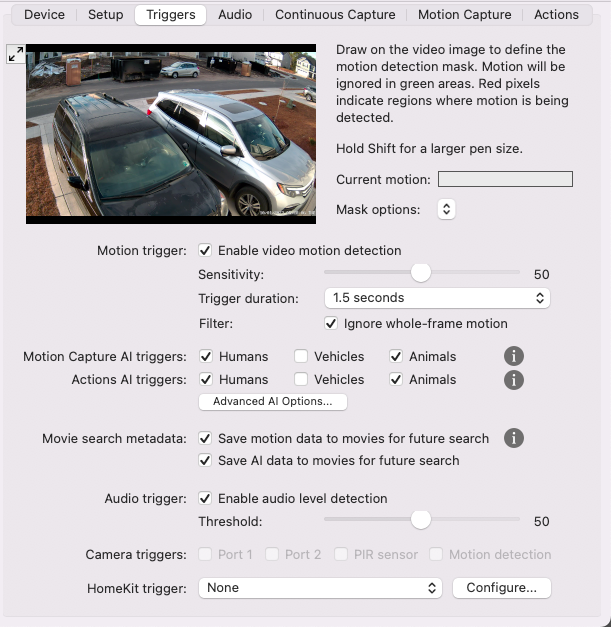
However, I continue receiving general motion notifications (not specifically people/animals). This is true for both my driveway and backyard cams. The only configuration difference is I have vehicle detection on in the backyard (probably dont need that, lol).


-
This shouldn't be happening. Please check and let me know the following:
- Are you using the latest version of SecuritySpy?
- Are there any errors related to running the AI in the log file (File menu > Open Log)?
- Are you getting some alerts that say "Human detected" or "Animal detected", or do they ALL say "Motion detected"?
-
Its not the audio detection triggering it?
-
Thanks @killerdan56 this is a very good observation and could explain what is happening. @brandonjones24 could you try turning off the audio trigger and let us know if this stops these triggers.
-
All set on the version:
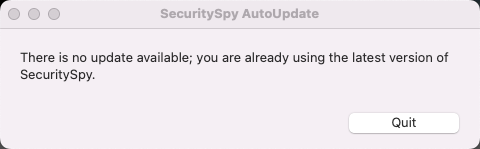

I am not seeing any AI specific errors in my log. Only communication errors from 1/7 due to a faulty switch I later replaced, a sustained hang the following AM, and some issues with my Loft 1 camera, which is not surprising as its a Wyze cam via an RTSP relay. Most interestingly, this camera does not have the issue my outdoor cameras have.
Here is my log: https://pastebin.com/xPdJ4zPE
@killerdan56 - I do have audio detection on both outdoor cams and not my Loft cam, so there is correlation.
-
Here is a link to a video showing the notifications flowing in once every minute or so.
-
Apologies, missed your second reply Ben. I have disabled audio on both cameras and will report back.
-
Initially at least, I am no longer receiving a high volume of alerts. I received two alerts over the past hour, both of which appear to be valid Human detection.
Is it desired behavior for audio triggers to send "motion" alerts to iOS, or is this a bug?
-
It sounds like we have diagnosed the problem here.
"Motion detected" is the default notification text, which is changed to "Human detected" etc. for AI detection. But I can see that it would be a good idea to further customise this to "Audio detected" when the trigger is the audio level detection. This has been added to the latest beta version of SecuritySpy (currently 5.5.4b8).
-
Ignore

-
Hi @killerdan56 I think this is superfluous since the notification itself shows the time it was received. It's unfortunate that the exact time isn't displayed - Apple should really have an option for this - but the displayed time (e.g. "7m ago") should be accurate enough for the majority of users.
